Imagine navigating a world where artificial intelligence isn’t just about retrieving data but about delivering complex reasoning and insightful answers. As we inch closer to 2026, the landscape of AI search is transforming dramatically, led by advancements that promise not merely to enhance but to revolutionize our interactions with technology. In this ever-evolving field, the debate between GraphRAG VS RAG is heating up, drawing lines between traditional approaches and innovative methodologies designed to push the boundaries of what reasoning AI can achieve.
In my experience working with enterprise AI systems, I’ve noticed a recurring frustration among developers and business leaders alike. They build a Retrieval-Augmented Generation (RAG) pipeline, feed it their company’s entire knowledge base, and expect magic. But when they ask a complex question like, “How do the risk factors in our 2024 Asian market expansion strategy impact our 2026 compliance protocols?” the AI falls flat. Grounding a RAG system in external knowledge also opens a security risk worth understanding before you ship — a corrupted knowledge base can quietly rewrite the answers your model returns. See our guide on what RAG poisoning is and how to defend against it.
It gives a vague, disjointed answer. Or worse, it hallucinates. The problem isn’t the Language Model (LLM). The problem is the retrieval method.
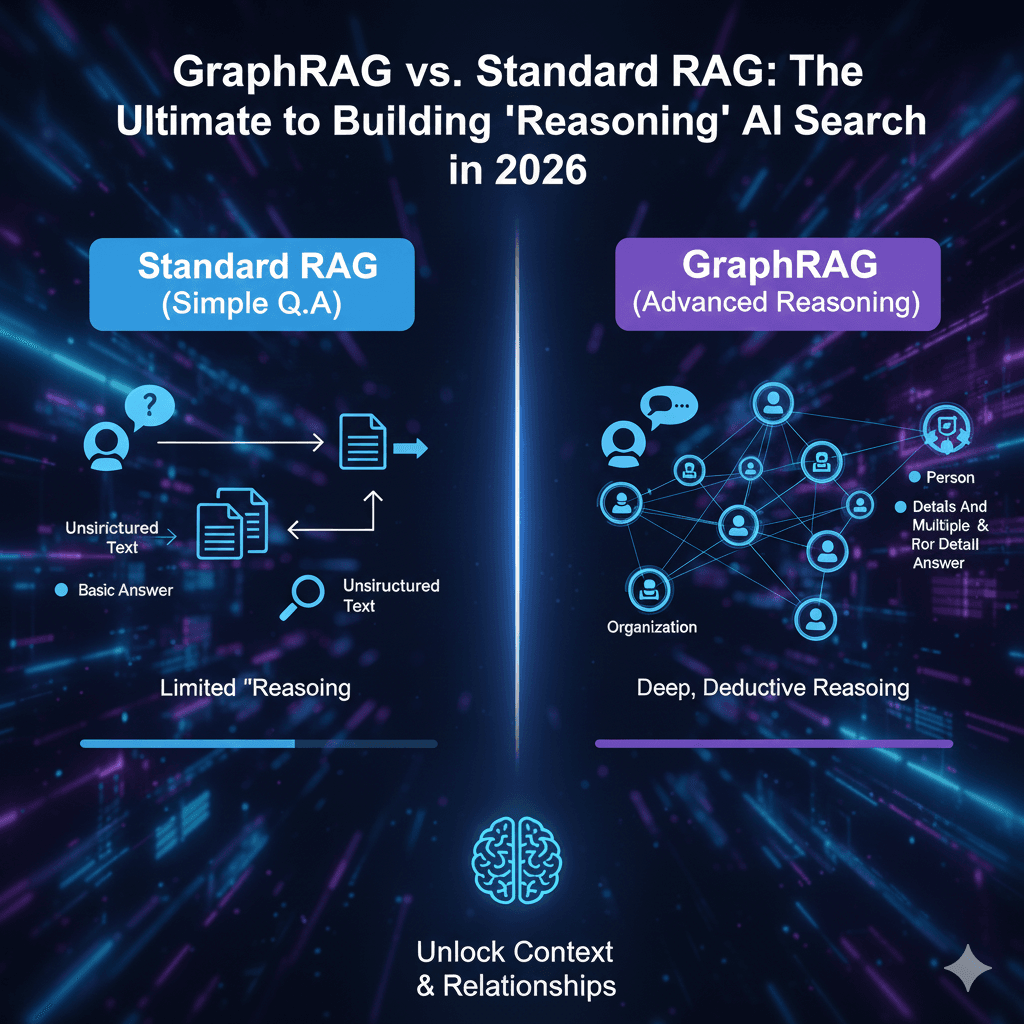
Welcome to the battle of GraphRAG vs Standard RAG. As we move into 2026, the industry is shifting from simple “search” to complex “reasoning.” Standard RAG the industry darling of 2023 and 2024 is hitting a ceiling. GraphRAG (Graph Retrieval-Augmented Generation) is breaking through it.
In this guide, I will walk you through exactly why this shift is happening, the architectural differences you need to understand, and how to build your own reasoning engine.
Understanding Traditional AI Models: Standard RAG
To understand where we are going, we must look at where we are. Standard RAG, often called Standard RAG, fundamentally changed how we use LLMs.
Before RAG, LLMs were like frozen encyclopedias their knowledge cut off at their training date. Standard RAG fixed this by connecting the LLM to your private data.
How It Works (The “Library Card” Analogy)
Imagine you go to a library and ask for information on “quantum physics.”
- Chunking: The librarian (the embedding model) takes every book, rips out the pages, and piles them into small stacks.
- Vectorization: Each stack is given a numerical ID based on the words it contains.
- Retrieval: When you ask your question, the librarian looks for stacks that have similar words to your query.
- Generation: The librarian hands you the top 3 stacks and says, “Read these.”
Standard RAG, in technical terms, transforms text into vectors, which are essentially lists of numbers, and employs cosine similarity to identify similarities. This method excels in speed and efficiency particularly for straightforward fact-finding tasks (e.g., “What is the leave policy?”).
However, it has a fatal flaw: It has no concept of relationships. It treats every chunk of text as an island, isolated from the others.
Introduction to GraphRAG and Its Innovations
Revolutionizing the field, GraphRAG revolutionizes data handling by viewing your information not as simple files, but as a complex network of linked ideas.
It combines the power of LLMs with Knowledge Graphs. Instead of just storing text, GraphRAG extracts entities (people, places, concepts) and relationships (how they interact) to build a structured map of your information.
The “Detective Board” Analogy
Think of a detective solving a crime. They don’t just read witness statements one by one. They put photos on a wall and connect them with red string.
- “Person A called Person B.”
- “Person B was at Location C.”
- “Location C is owned by Company D.”
Standard RAG sees four separate facts. GraphRAG sees the red string. It allows the AI to “traverse” these connections to answer questions that require reasoning across multiple documents.
Key Differences in Architecture: Standard RAG vs. GraphRAG
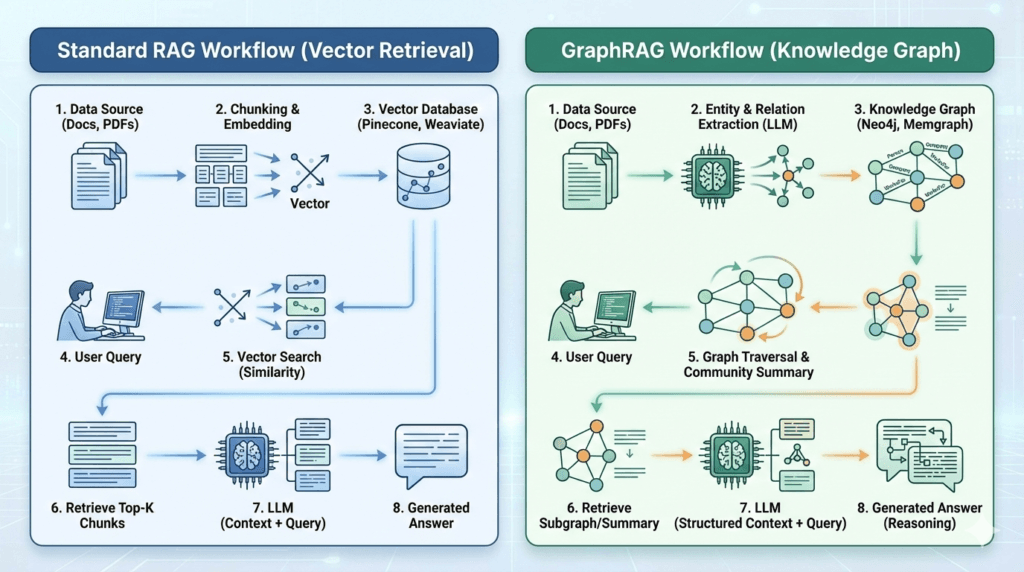
If you are an engineer or architect, this is the most critical section. The difference lies in how data is structured and retrieved.
| Feature | Standard RAG (Vector) | GraphRAG (Knowledge Graph) |
| Data Structure | Flat list of text chunks (embeddings). | Network of Nodes (Entities) and Edges (Relationships). |
| Retrieval Mechanism | Semantic Similarity: “Find chunks that look like this query.” | Graph Traversal: “Follow the relationships from this entity to find connected context.” |
| Context Window | Limited to retrieved chunks; often misses global context. | Can inject “Community Summaries” (summarized clusters of related nodes). |
| Strengths | Fast, cheap, easy to set up. Great for direct Q&A. | “Global sensemaking,” multi-hop reasoning, complex queries. |
| Weaknesses | “Lost in the Middle” phenomenon; cannot connect distant dots. | Higher cost to build (requires LLM for extraction); higher latency. |
Performance Metrics Comparison: GraphRAG vs Standard RAG
Is the complexity worth it? The data says yes.
Microsoft Research released a benchmark (BenchmarkQED) comparing their GraphRAG implementation against standard RAG. The results were stark.
- Comprehensiveness: GraphRAG consistently answers “global” questions (e.g., “What are the recurring themes in these 100 reports?”) with significantly higher accuracy. Standard RAG often fails here because it can only retrieve a few chunks, missing the big picture.
- Faithfulness: Because GraphRAG follows explicit paths (Edges), it is less likely to hallucinate connections that don’t exist.
- Win Rate: In Microsoft’s tests using “LazyGraphRAG,” the graph-based approach achieved a 96% win rate over standard RAG for complex query classes.
My Take: If your metric is “speed to first token,” Standard RAG wins. If your metric is “answer quality for complex business logic,” GraphRAG destroys the competition.
Use Cases and Applications of Standard RAG
I don’t want to discourage you from using Standard RAG. For 80% of simple use cases, it is still the best tool.
- Customer Support Chatbots: Answering simple FAQs like “How do I reset my password?”
- Personal Document Search: Finding a specific clause in a contract you wrote last week.
- Code Assistants: Retrieving similar code snippets from a repo.
When to stick with Standard RAG: Your users ask simple, direct questions. You have a low budget. Your data is unstructured and doesn’t have clear entities.
Practical Applications and Advantages of Graph RAG
GraphRAG shines where the stakes are high and the data is messy.
A. Medical Diagnosis & Healthcare
In healthcare, “hallucination” is dangerous. GraphRAG can map symptoms (Nodes) to diseases (Nodes) via clinical studies (Edges). If a patient has Symptoms A, B, and C, GraphRAG can traverse the graph to find a rare disease that connects all three, even if no single document mentions them together.
B. Financial Risk & Fraud Detection
Fraud often hides in the gaps between data points.
- Standard RAG: Retrieves the transaction record.
- GraphRAG: Sees that the User shares a phone number with a known Scammer, who used an IP address linked to a sanctioned country. It “hops” across these relationships to flag the risk.
C. Legal Discovery
Lawyers need to find contradictions across thousands of depositions. GraphRAG can identify that “Witness A” contradicted “Witness B” regarding “Event X,” even if their testimonies are in completely different files.
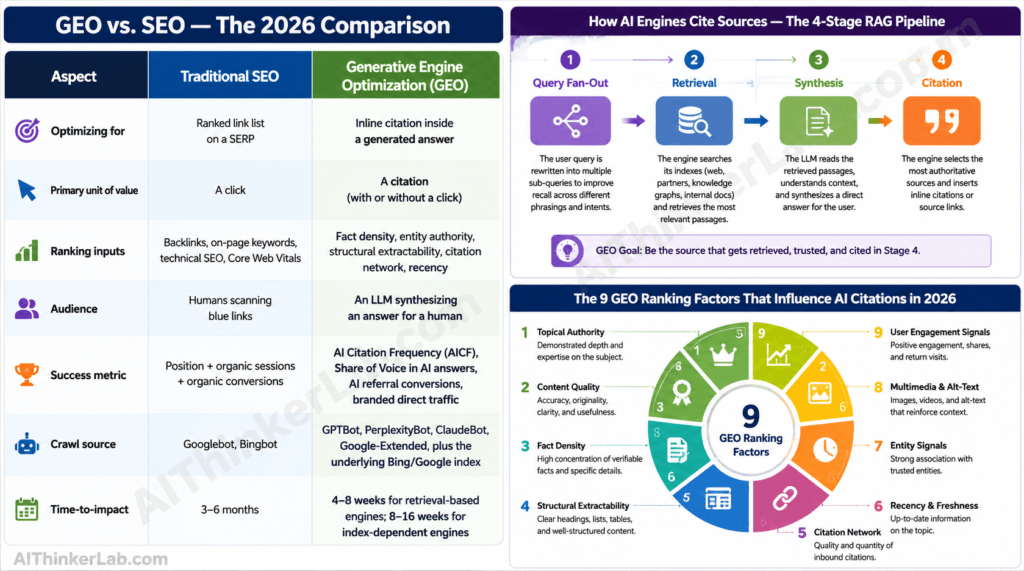
Understanding GraphRAG explains how next-generation AI engines retrieve sources — but ranking inside those retrievals requires a different skill set. Our complete playbook on how to get cited by ChatGPT, Perplexity and Google AI Overviews breaks down the 9 ranking factors and the exact 7-step action plan.
The Problem: Why “Vector RAG” fails at complex questions
The fundamental limitation of Standard RAG is the Context Window and the “Lost in the Middle” phenomenon.
When you ask a complex question, Standard RAG might retrieve 10 chunks of text.
- Chunk 1 mentions the start of a story.
- Chunk 10 mentions the end.
- The crucial “middle” that explains why it happened is often ranked lower and missed.
Furthermore, vectors compress meaning. Two sentences can have similar vectors but mean opposite things. Standard RAG relies on proximity, not causality. It literally cannot “reason” it can only match patterns.
Overcoming Challenges with GraphRAG Implementation
Transitioning to GraphRAG vs Standard RAG isn’t free. I’ve helped several enterprises make this switch, and here are the hurdles you will face:
- Cost of Ingestion: To build a graph, you must run your text through an LLM to extract entities. This is token-expensive. (Solution: Use cheaper models like GPT-4o-mini or Llama 3 for extraction).
- Schema Design: You need to decide what your nodes and edges are. Is “Apple” a
Fruitor aCompany? - Latency: Graph traversals take time. A GraphRAG query might take 5-10 seconds, whereas Standard RAG takes <1 second.
Tip: Don’t replace Vector RAG. Augment it. The best systems in 2026 use a “Hybrid RAG” approach vector search for speed, graph traversal for depth. Hybrid is just one rung on the ladder. For the full menu — from naive retrieval up through reranking, agentic, and multimodal — see our guide to the 8 RAG architecture patterns for production and exactly when to climb to each.
Tutorial (The “Applied” Part): “How to implement a simple GraphRAG pipeline.”
Let’s get our hands dirty. We will build a simple “Knowledge Graph” pipeline using LangChain and Neo4j.
Prerequisites: Python, a Neo4j database (you can use a free AuraDB instance), and an OpenAI API key.
- Step 1: Install Dependencies
pip install langchain langchain-community langchain-openai neo4j- Step 2: Connect to Neo4j & Initialize LLM
from langchain_community.graphs import Neo4jGraph
from langchain_openai import ChatOpenAI

# Connect to your Graph Database
graph = Neo4jGraph(
    url="bolt://localhost:7687",
    username="neo4j",
    password="your_password"
)

llm = ChatOpenAI(model="gpt-4o", temperature=0)- Step 3: Ingestion (Text to Graph)
This is the magic part. We use an LLMGraphTransformer to convert raw text into nodes and relationships automatically.
from langchain_experimental.graph_transformers import LLMGraphTransformer
from langchain_core.documents import Document

# Define the transformer
llm_transformer = LLMGraphTransformer(llm=llm)

# Your raw text
text = "Elon Musk is the CEO of SpaceX. SpaceX was founded in 2002. It is headquartered in Hawthorne."
documents = [Document(page_content=text)]

# Convert text to graph documents
graph_documents = llm_transformer.convert_to_graph_documents(documents)

# Save to Neo4j
graph.add_graph_documents(graph_documents)
At this point, your database now has nodes for “Elon Musk”, “SpaceX”, “Hawthorne” and edges like CEO_OF and FOUNDED_IN.
- Step 4: Retrieval (GraphRAG Chain)
Now we query it. We use a chain that generates a Cypher query (Neo4j’s query language) from natural language.
from langchain.chains import GraphCypherQAChain

chain = GraphCypherQAChain.from_llm(
    graph=graph,
    llm=llm,
    verbose=True
)

response = chain.invoke("When was the company run by Elon Musk founded?")
print(response['result'])
Output: “SpaceX was founded in 2002.”
Notice the reasoning? The question didn’t say “SpaceX.” The AI had to hop from “Elon Musk” -> CEO_OF -> “SpaceX” -> FOUNDED_IN -> “2002.” Standard RAG might have missed this if the chunks were separated.
The Verdict: When to use which?
Here is my simple decision matrix for 2026:
| Scenario | Use Standard RAG | Use GraphRAG |
| Fact-checking (“What is X?”) | ✅ | ❌ (Overkill) |
| Summarizing specific docs | ✅ | ❌ |
| Multi-hop Reasoning (“How does X affect Y?”) | ❌ | ✅ |
| Global Summarization (“Themes of dataset”) | ❌ | ✅ |
| Real-time Latency (<1s) | ✅ | ❌ |
| Budget Constraints | ✅ | ❌ |
Future Prospects: Evolving Trends in Reasoning AI
As we look toward 2026, Agentic AI is the next frontier.
We are moving away from passive “Chatbots” to active “Agents.” An agent doesn’t just retrieve; it plans.
- Standard RAG is a tool.
- GraphRAG is a memory system.
Future workflows will involve “Flow Engineering,” where an agent autonomously decides: “This question is simple, I’ll use Vector Search. This part is complex, I’ll query the Knowledge Graph.”
We are also seeing the rise of Microsoft’s “GraphRAG” library (distinct from the generic concept), which introduces “Community Detection.” It pre-summarizes clusters of information, allowing the AI to answer “global” questions instantly without traversing the whole graph every time.
Conclusion: The Road Ahead for Reasoning AI Systems
The debate of GraphRAG vs Standard RAG isn’t about one replacing the other. It’s about maturity. Standard RAG was our childhood—simple, fast, and exciting. GraphRAG is adulthood—structured, nuanced, and capable of handling the complexity of the real world.
If you are building for enterprise in 2026, you cannot afford to ignore the graph. Your users demand answers, not just links. They demand reasoning, not just retrieval.
Start small. Implement a graph for your most complex dataset. Test the difference. In my experience, once you see your AI “connect the dots” for the first time, you’ll never go back to flat vectors again.
To read more about AI Chrome extensions.
If you’re interested in running powerful AI models privately, read our complete guide on running AI models locally without internet.
References:
- Microsoft Research: BenchmarkQED & LazyGraphRAG
- arXiv Paper: From Local to Global (The “Seminal” GraphRAG Paper)
- Neo4j: What is GraphRAG?
- LangChain: Graph RAG Integration Guide