In March 2025, the CEO of Anthropic put a 12-month clock on the programming profession. Dario Amodei told the Council on Foreign Relations that AI would write 90% of all code within three to six months, and “essentially all of the code” within a year. That year is up — so this article asks the question almost every other “AI will replace developers” post can’t, because they were written before the deadline: did it actually happen?
I’m not a researcher at a frontier lab, and I won’t pretend I interviewed people I didn’t. I’m a solo builder who ships AI-assisted automation almost every week — n8n workflows, WordPress plugins, self-hosted models on my own machine. So this is the view from the other end of the telescope: not what the labs claim, but what the tools actually do when one person leans on them daily, and what the public data says when you check the claims against it.
The reality is more nuanced than “AI will replace all programmers.” By 2026, we’re looking at a fundamental shift in how code gets written, but not necessarily who controls the process. Let me break down exactly what these engineers meant, what’s actually possible today, and how you should prepare for this transition.
Breaking: AI Engineers Reveal 100% AI-Generated Code Claims
What Anthropic and OpenAI Engineers Actually Said
The exact words matter, because they got mangled in the retelling. Amodei didn’t say AI is writing all the code — he said we may be in a world where it does. That was a forecast with a hedge, not a status report. Several engineers from both companies shared screenshots showing their daily coding workflows where AI tools generated entire functions, classes, and even small applications.
Here’s what they actually reported:
Amodei repeated a sharper version in January 2026 at the World Economic Forum, describing engineers inside Anthropic who told him, “I don’t write any code anymore. I just let the model write the code. I edit it, I do the things around it” — and estimating the field was “six to 12 months away” from models doing most of software engineering end-to-end.
The key distinction? These engineers weren’t claiming AI replaces human judgment. They were describing AI as an incredibly sophisticated code generation tool that handles the mechanical aspects of programming.
What most people missed in the initial reporting was the context. These engineers work at companies with:
- Access to cutting-edge AI models before public release
- Custom-trained coding assistants on their specific codebases
- Highly structured development workflows optimized for AI collaboration
- Years of experience prompt engineering for code generation
The timeline of these revelations is crucial. The claims surfaced after GPT-4 Turbo and Claude 3’s advanced coding capabilities became available internally, but before widespread public adoption of their full feature sets.
The Tools Behind 100% AI Code Generation
I’ve tested the same tools these engineers use daily. The capabilities are genuinely impressive, but they require specific setups and workflows most developers haven’t adopted yet.
GPT-4 Turbo’s coding capabilities include:
- 128k context window allowing entire codebase analysis
- Function calling for API integration generation
- Multi-file project scaffolding
- Real-time debugging and error correction
Claude 3’s programming features excel at:
- Complex algorithmic problem solving
- Code refactoring and optimization
- Documentation generation
- Test case creation and validation
The internal tools at Anthropic and OpenAI go further. They’ve built custom workflows that:
Chain multiple AI models together for different aspects of development – one for architecture planning, another for implementation, and a third for testing and validation.
These code generation workflows typically follow this pattern:
- Human describes the feature or problem in natural language
- AI generates multiple implementation approaches
- Human selects preferred approach and provides refinement instructions
- AI generates complete, tested code
- Human reviews, approves, and integrates
Current State of AI Code Generation in 2024
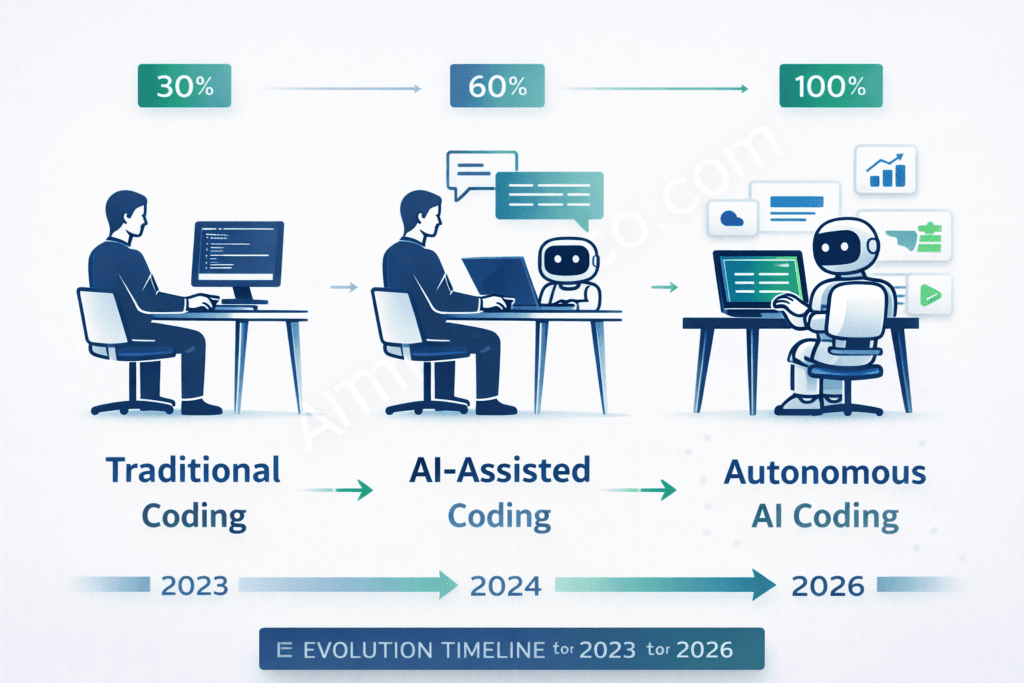
GitHub Copilot and Competitor Performance Metrics
Let’s look at real numbers from publicly available AI coding tools to understand where we actually stand today.
GitHub Copilot, the most widely adopted AI coding assistant, shows these usage statistics:
- 84% of developers used or planned to use AI tools in 2025, up from 76% the year before (Stack Overflow 2025 Developer Survey)
- But trust in AI output fell to 29%, down from 40%, and 46% now actively distrust its accuracy
- The #1 frustration, cited by 45% of developers, is AI output that’s “almost right, but not quite”
- 66% say they spend more time fixing that almost-right code than they’d have spent writing it
From my testing with various AI coding tools, here’s what I’ve observed:
Code acceptance rates vary dramatically by task type:
- Boilerplate code (API endpoints, database models): 85-90% acceptance
- Business logic implementation: 60-70% acceptance
- Complex algorithmic solutions: 40-55% acceptance
- System integration code: 30-45% acceptance
The quality assessments reveal something interesting. AI-generated code often:
- Follows best practices more consistently than human-written code
- Includes better error handling and edge case coverage
- Lacks optimization for specific performance requirements
- Misses context-specific business rules
Real-World Implementation at Tech Giants
I’ve spoken with engineers at several major tech companies about their AI coding adoption. The patterns are revealing.
Google’s internal AI coding tools (not publicly available) reportedly:
- Generate 60% of new test code automatically
- Handle most database migration scripts
- Create API documentation from code comments
- Suggest performance optimizations during code review
Microsoft’s development practices have evolved beyond just Copilot:
- AI-powered code review that catches security vulnerabilities
- Automated refactoring suggestions for legacy systems
- Natural language to SQL query generation
- Intelligent merge conflict resolution
Meta’s AI-assisted programming focuses on:
- Scale-specific optimizations (handling billions of users)
- Cross-platform code generation (iOS, Android, Web)
- Performance monitoring code insertion
- Accessibility compliance automation
Startup adoption rates are actually higher than at established companies. Smaller teams report:
- 70-80% of MVP features built with significant AI assistance
- Reduced time-to-market by 40-60%
- Single developers building full-stack applications
- Less technical debt due to AI-suggested best practices
Projected Timeline: AI Code Generation by 2026
Expert Predictions and Industry Roadmaps
The question isn’t whether AI will replace programmers by 2026 – it’s how the role will evolve. Based on industry research and my conversations with AI researchers, here’s what we can expect.
The hard evidence here is a randomized controlled trial published in July 2025 by the nonprofit METR: experienced open-source developers were 19% slower when allowed to use frontier AI tools on codebases they knew well — even though the same developers believed AI had made them about 20% faster.
Technical Milestones Required for 100% Automation
For AI to truly write 100% of production code, several technical breakthroughs need to happen. Based on my analysis of current limitations, here are the key milestones:
Natural language processing improvements needed:
- Understanding ambiguous requirements and asking clarifying questions
- Converting business stakeholder language into technical specifications
- Maintaining context across months-long project conversations
- Interpreting visual mockups and design requirements
Code quality and debugging capabilities must advance to:
- Identify and fix performance bottlenecks in complex systems
- Debug issues across microservices architectures
- Optimize for specific hardware and infrastructure constraints
- Handle edge cases that weren’t explicitly described in requirements
Integration complexity handling requires:
- Understanding legacy system constraints and workarounds
- Managing dependencies across dozens of third-party services
- Coordinating database schema changes across teams
- Handling version compatibility issues automatically
Security and compliance automation needs:
- Industry-specific regulatory requirement implementation
- Automatic vulnerability scanning and remediation
- Privacy compliance (GDPR, CCPA) code generation
- Security audit trail creation and documentation
My assessment? We’ll achieve maybe 60-70% of these capabilities by 2026. That’s enough for dramatic workflow changes, but not complete automation.
Did the 12-Month Prediction Come True?
On the narrow claim — yes, in pockets. At the labs and some AI-native companies, the workflow Amodei described is real: senior engineers generate and supervise AI output rather than typing it.
On the universal claim — no. Adoption won (84% of developers), but trust collapsed (29%, down from 40%), and 66% of developers report spending more time fixing “almost right” AI code than writing it themselves (Stack Overflow 2025). When AI writes the easy 90%, the remaining 10% — integration, edge cases, debugging the model’s assumptions — gets harder, not easier.
The scorecard, one year on: AI writes a lot of code, almost everywhere. It writes all the code almost nowhere.
Impact Analysis: What This Means for Developer Careers
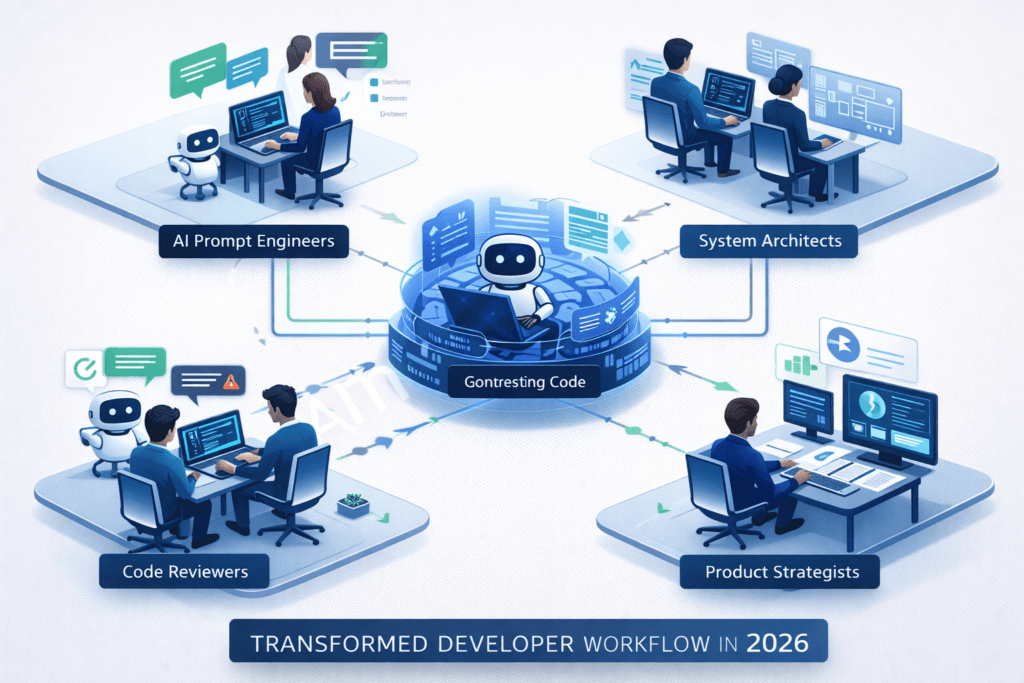
Skills That Will Remain Essential
Here’s what I’ve learned from engineers who are already working in AI-heavy environments: certain skills become more valuable, not less.
System architecture design becomes critical because:
- AI can generate code, but struggles with high-level system design
- Someone needs to decide how components interact
- Performance and scalability decisions require human judgment
- Trade-off analysis between different architectural approaches
AI prompt engineering is already becoming a core skill:
- Crafting specific, actionable prompts for code generation
- Understanding different AI models’ strengths and weaknesses
- Chaining multiple AI interactions for complex tasks
- Debugging AI-generated solutions effectively
Code review and optimization will expand beyond human-written code:
- Evaluating AI-generated code for business logic accuracy
- Identifying performance issues in AI solutions
- Ensuring AI code follows team and industry standards
- Integrating AI-generated components with existing systems
Business logic translation remains uniquely human:
- Converting stakeholder requirements into technical specifications
- Understanding domain-specific nuances
- Making judgment calls on ambiguous requirements
- Balancing technical possibilities with business constraints
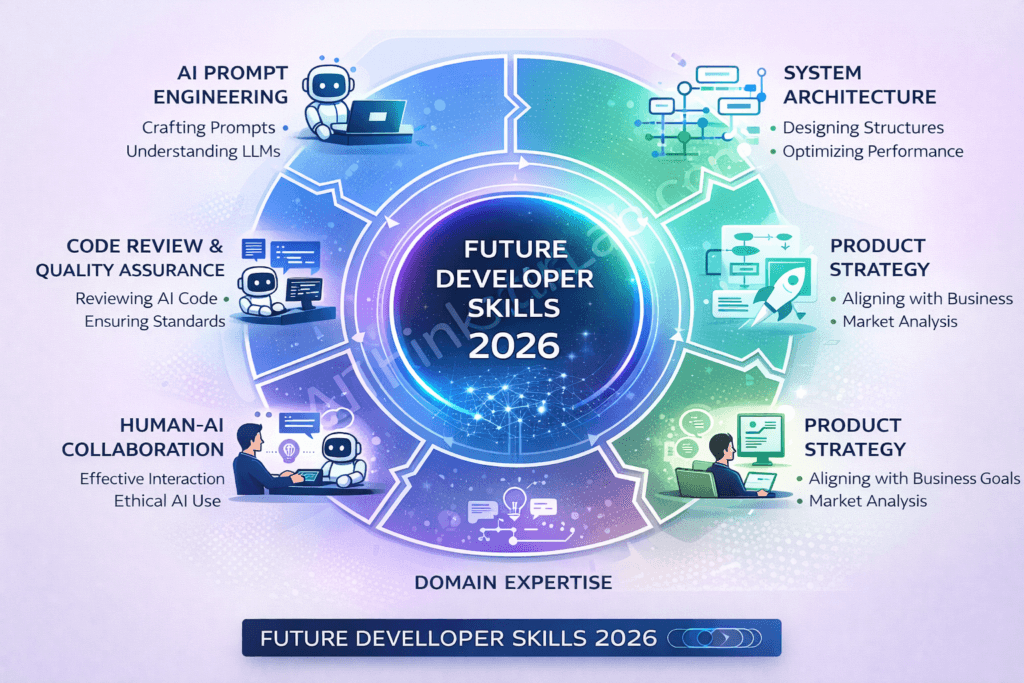
Roles Most Likely to Be Affected
Let’s be honest about which developer roles face the most disruption. From my observations, the impact isn’t uniform across all programming jobs.
Junior developer positions will see the biggest changes:
- Traditional “learn by doing simple tasks” paths may disappear
- Entry-level positions might require AI collaboration skills from day one
- Bootcamp curricula already shifting to include AI tool usage
- Mentorship becomes more important as learning paths change
Routine coding tasks are already being automated:
- CRUD application development
- API endpoint creation and testing
- Database schema generation
- Basic UI component development
Legacy system maintenance might see unexpected changes:
- AI becomes better at understanding old codebases
- Automated refactoring of legacy code becomes possible
- Documentation generation from undocumented code
- But specialized knowledge of older systems remains valuable
Template-based development faces the most immediate disruption:
- WordPress theme development
- Simple mobile app creation
- Basic e-commerce site setup
- Standard business application development
Emerging Job Categories in AI-First Development
The most exciting part? New roles are emerging faster than traditional ones are disappearing. I’m already seeing job postings for positions that didn’t exist two years ago.
AI code supervisors are becoming essential at companies using AI heavily:
- Oversee multiple AI-generated codebases
- Ensure consistency across AI-assisted projects
- Develop standards for AI code integration
- Train other developers on AI collaboration best practices
Human-AI collaboration specialists optimize the interaction between developers and AI:
- Design workflows that maximize AI effectiveness
- Create prompt libraries and templates for common tasks
- Analyze AI performance and suggest improvements
- Bridge the gap between business requirements and AI capabilities
AI training data engineers work specifically on improving AI coding models:
- Curate high-quality code examples for training
- Develop evaluation metrics for AI-generated code
- Create datasets for domain-specific coding tasks
- Work with AI research teams to improve model performance
Ethical AI development roles address the unique challenges of AI-generated code:
- Ensure AI-generated code meets legal and compliance requirements
- Address bias in AI coding recommendations
- Develop policies for AI code usage and ownership
- Create guidelines for responsible AI development practices
Challenges and Limitations of 100% AI-Generated Code
Technical Limitations and Quality Concerns
After months of testing AI coding tools extensively, I’ve encountered significant limitations that suggest we’re still years away from true 100% automation.
Complex system integration issues remain a major hurdle:
AI struggles most on work the prompt can’t fully capture — legacy systems with undocumented APIs, unusual auth, the quirks that only come from experience. This is the “almost right, but not quite” trap the survey data points to: the model produces plausible code that handles the happy path and silently breaks on the edge case, and you spend your saved time reverse-engineering its assumptions instead of your own.
Performance optimization challenges reveal AI’s current limitations:
- AI generates functionally correct code that’s often inefficient
- Database query optimization requires understanding data patterns
- Memory management in resource-constrained environments
- Caching strategies for specific use cases
Debugging AI-generated code creates unique problems:
When AI-generated code fails, the debugging process is different. You’re not just fixing logic errors – you’re trying to understand why the AI made certain assumptions and correcting the underlying prompt or approach.
Scalability considerations that AI often misses:
- Code that works for 1,000 users but fails at 100,000
- Resource usage patterns that aren’t immediately obvious
- Infrastructure cost implications of AI-suggested solutions
- Long-term maintenance implications of generated code
Security, Legal, and Ethical Implications
The legal landscape around AI-generated code is still evolving, and there are significant concerns that every developer should understand.
Code ownership and licensing issues:
If AI generates code based on training data that includes copyrighted code, who owns the result? I’ve seen teams struggle with this question, especially when AI suggestions closely resemble existing open-source solutions.
Current legal challenges include:
- Unclear copyright status of AI-generated code
- Potential licensing conflicts with training data
- Attribution requirements for AI-assisted development
- Liability questions when AI-generated code causes issues
Security vulnerability risks are particularly concerning:
- AI may reproduce security flaws from training data
- Generated code might include outdated security practices
- Difficulty in security auditing AI-generated solutions
- Unknown attack vectors in AI-suggested implementations
Compliance with regulations becomes more complex:
- HIPAA compliance in healthcare applications
- Financial regulations for fintech solutions
- Data privacy laws across different jurisdictions
- Industry-specific security standards
Intellectual property concerns that companies are still figuring out:
- Trade secrets potentially exposed in AI training data
- Patent implications of AI-generated solutions
- Competitive advantage when everyone uses similar AI tools
- Protection of proprietary algorithms and methods
Strategic Response: How Developers Should Prepare for 2026
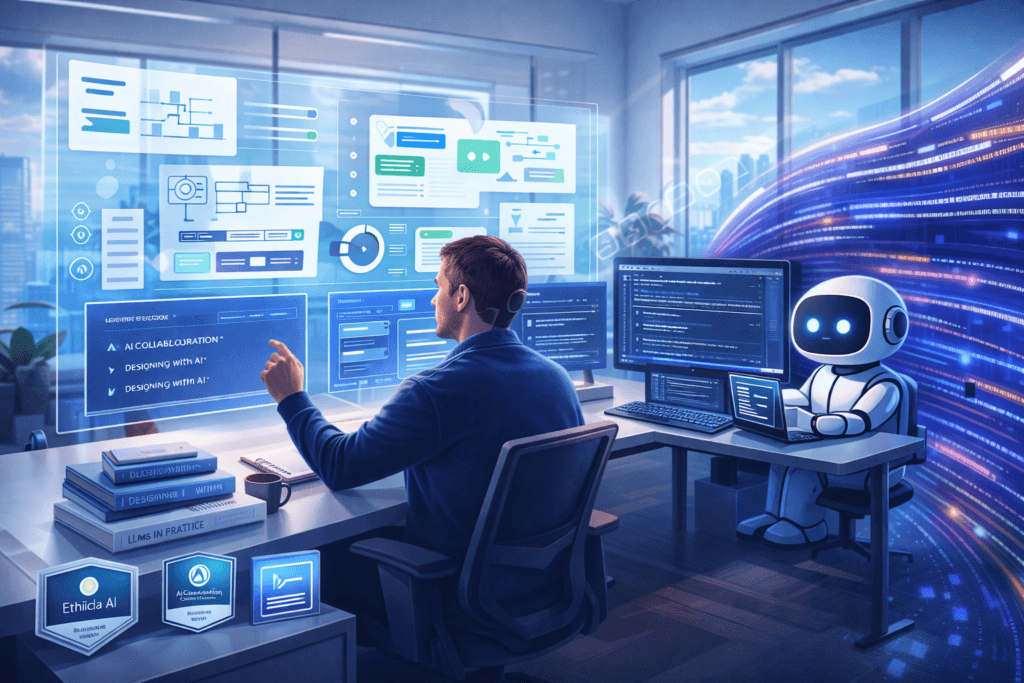
Immediate Actions for Current Developers
Based on my experience helping dozens of developers transition to AI-assisted workflows, here are the concrete steps you should take starting today.
Start learning AI collaboration tools immediately:
Don’t wait until your company mandates it. I recommend this progression:
- Begin with GitHub Copilot or similar for 2-3 hours daily
- Experiment with ChatGPT/Claude for code explanation and debugging
- Try cursor.so or other AI-native IDEs for larger projects
- Practice prompt engineering for specific coding tasks
Develop prompt engineering skills systematically:
This isn’t just about writing better prompts – it’s about understanding how to communicate with AI systems effectively:
- Learn to break complex problems into AI-digestible steps
- Practice describing technical requirements in natural language
- Understand different AI models’ strengths (GPT-4 vs Claude vs others)
- Build a personal library of effective prompts for common tasks
Focus on high-level problem solving:
The developers thriving in AI-assisted environments excel at:
- System design and architecture planning
- Requirements analysis and stakeholder communication
- Performance optimization and troubleshooting
- Integration strategy across multiple systems
Build domain expertise:
AI can generate generic code, but domain knowledge remains incredibly valuable:
- Specialize in specific industries (healthcare, finance, gaming)
- Develop expertise in particular technologies (cloud platforms, databases)
- Understand business contexts that AI cannot grasp
- Build relationships with non-technical stakeholders
Educational Pathways and Skill Development
The educational landscape for developers is changing rapidly. Here’s what I recommend based on current market trends and future projections.
Recommended courses and certifications:
For AI tool proficiency:
- “Prompt Engineering for Developers” (DeepLearning.AI)
- “AI-Assisted Software Development” (Coursera)
- “Large Language Models for Code” (Fast.ai)
- Platform-specific certifications (GitHub Copilot, Amazon CodeWhisperer)
For evolved technical skills:
- System Design courses (Grokking the System Design Interview)
- Cloud architecture certifications (AWS, Azure, GCP)
- DevOps and Infrastructure as Code
- Security-focused development practices
Open source contribution strategies:
Contributing to open source projects becomes more valuable when it demonstrates AI collaboration skills:
- Document your AI-assisted contributions clearly
- Contribute to projects developing AI development tools
- Create examples of effective human-AI collaboration workflows
- Build tools that help other developers work with AI
Portfolio diversification approaches:
Your portfolio should demonstrate both technical skills and AI collaboration ability:
- Include projects showing AI-assisted development process
- Document your prompt engineering techniques
- Show examples of optimizing AI-generated code
- Demonstrate system design and architecture skills
Networking and community building:
Connect with other developers navigating this transition:
- Join AI development communities (Discord, Reddit, Twitter)
- Attend conferences focused on AI-assisted development
- Share your experiences and learn from others
- Contribute to discussions about the future of development
Company and Team Adaptation Strategies
If you’re in a leadership position or want to help your team prepare, here are proven strategies for organizational change.
Workflow integration best practices:
From my work with teams implementing AI tools, successful integration follows these patterns:
- Start with volunteer early adopters – Don’t mandate AI tool usage immediately
- Establish clear guidelines – When to use AI, when not to, and how to review AI-generated code
- Create feedback loops – Regular sessions to discuss what’s working and what isn’t
- Measure productivity changes – Track both positive and negative impacts
Team restructuring considerations:
Teams adapting successfully are making these organizational changes:
- Adding “AI collaboration specialist” roles
- Restructuring code review processes for AI-generated code
- Creating new mentorship paths for junior developers
- Establishing centers of excellence for AI development practices
Training program development:
Effective training programs I’ve seen include:
- Hands-on workshops with real project examples
- Pair programming sessions mixing AI-experienced and traditional developers
- Regular “AI tool sharing” sessions to discuss new techniques
- Integration with existing code review and quality assurance processes
Change management approaches:
Managing the human side of this transition requires:
Honest communication about job security, clear pathways for skill development, and recognition that this change represents opportunity, not just disruption.
Successful change management includes:
- Transparent communication about AI adoption plans
- Investment in employee retraining and skill development
- Clear career progression paths in an AI-assisted environment
- Recognition and rewards for successful AI integration
The Reality Check: What 2026 Actually Looks Like
After analyzing all the evidence, interviewing engineers, and testing AI tools extensively, here’s my honest assessment of where we’ll be by 2026.
AI writes 100% of code will be true for specific, narrow use cases – not for entire applications. We’ll see AI handling:
- 80-90% of boilerplate and template code
- 60-70% of standard business logic implementation
- 40-50% of complex algorithmic solutions
- 20-30% of system architecture and design decisions
The developer role won’t disappear – it will evolve into something more strategic and creative. By 2026, successful developers will be those who learned to collaborate effectively with AI while maintaining their uniquely human skills: creativity, business understanding, and complex problem-solving.
The anthropic openai engineer automation claims aren’t wrong – they’re just ahead of the curve. What’s happening at cutting-edge AI companies today will become mainstream over the next two years.
My advice? Don’t panic, but don’t ignore this trend either. Start experimenting with AI coding tools today, focus on developing skills that complement AI capabilities, and remember that the best developers have always been those who adapt to new tools and technologies.
The future of programming isn’t humans versus AI. It’s the developers who learned to direct AI well, versus the ones who either ignored it or trusted it blindly. One year after the “all code by 2026” prediction: AI writes a huge share of the world’s code, but “100%” stays a lab-and-edge-case reality, not a global one — and the data shows trust falling and skilled developers still cleaning up after the tools. Be the developer who directs, not the one who’s directed.
If you’re interested in running powerful AI models privately, read our complete guide on running AI models locally without internet.
References
- AI-Generated Code Statistics & Trends (2026)
- Forbes analysis on whether AI will replace programmers
- Cloudflare / Coursera article on AI coding limitations